


Wordscapes: Word puzzle game
4.6267.33K Reviews
App Specs
- Version
- 3.13.30
- Updated On
- License
- Free
- Downloads
- 100,000,000+
- Developer
- PeopleFun
- Categories
- Word
- Platform
- Android, iOS
Screenshots
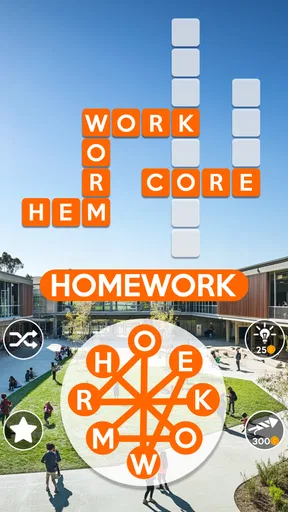
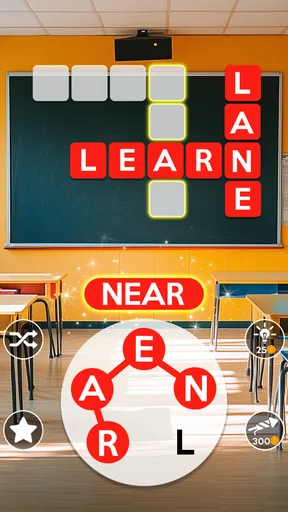
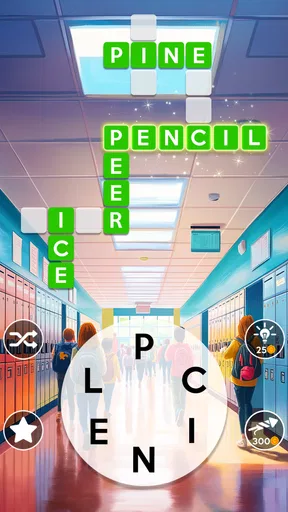
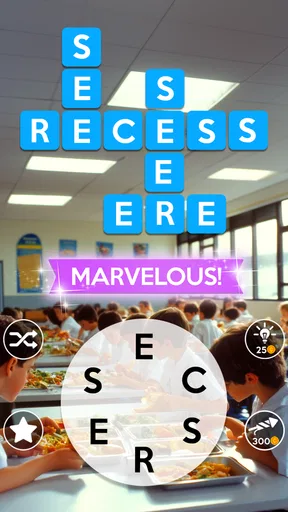
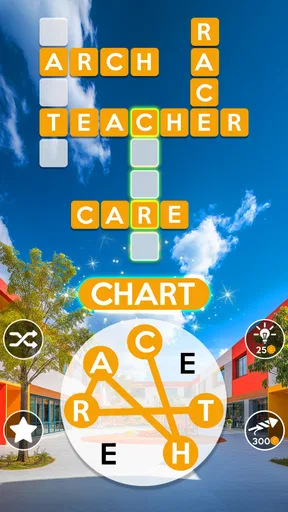
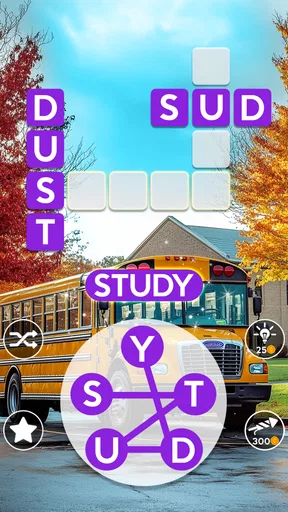
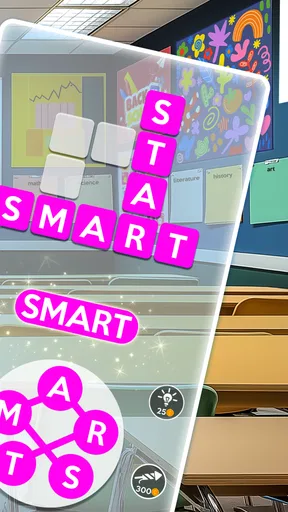
 Analysis by AppCompare
I first see the appeal of Wordscapes in how quickly it turns a spare moment into a small puzzle session. I can pick up the letter wheel, try a few combinations, and get a satisfying sense of progress without needing to learn a complicated set of rules. The game comes from PeopleFun, and its straightforward crossword-and-letter-wheel format makes it approachable even if you don’t usually play word games.
The first-week appeal: quick puzzles, clear progress
The basic loop is easy to understand: letters sit in a circle, and I swipe between them to form words that fit into a crossword grid. That simple setup is a real strength during the first few sessions. I don’t have to plan a long play session or remember a story; I can solve a puzzle while waiting for a kettle to boil, then put my phone away.
Its scenic backgrounds give the progression a gentle sense of place, while the puzzle itself remains the main attraction. I like that the visuals are calm rather than busy, especially when I’m playing to unwind. At the same time, a relaxing presentation doesn’t mean every board is effortless. As the available letters become harder to combine, I sometimes need to pause, rearrange my thinking, and look for a word I initially overlooked.
Guides and Analysis on Wordscapes: Word puzzle game
That makes it a good fit for people who enjoy vocabulary puzzles but don’t want the pressure of a timed quiz every time they open a game. It is also useful for short breaks because a board gives a natural stopping point. I would be more cautious about recommending it to someone who wants a narrative, varied action, or a strong social game: the central pleasure here is repeatedly spotting words, not moving through a changing adventure.
Why Wordscapes is a Must-Try
So, what’s the deal with Wordscapes? It’s a clever blend of a crossword puzzle and word search. You start with a simple circle of letters and a crossword layout above. Your job is to swipe your way to creating words, filling in the crossword as you go. Easy, right? Well, it starts that way, but don't let the initial simplicity fool you. The levels ramp up, and soon you’ll find yourself scratching your head wondering how a six-letter word could be so elusive.
Gameplay and Features
The game is divided into several beautiful landscapes, ranging from serene forests to picturesque sunsets. As you complete levels, you’ll unlock more scenic backgrounds, making each session a visual treat. And the best part? It’s not just pretty to look at; it gives your brain a good workout. I found myself learning new words and revisiting forgotten ones, all while enjoying the stunning vistas.
Wordscapes also offers daily challenges and tournaments. These add an extra layer of excitement as you compete with other players, aiming to climb the leaderboard. If you’re feeling stuck, there’s a handy hint system to nudge you in the right direction, which I must admit, I've used more times than I’d like to admit!
Worth Reading Before You Choose

Baby Panda World Brings Quick Play to Modern Phones, but Its Game Library Feels Busy

ESPN’s Live Game View Makes Following Close Games Easier

QuizzLand Review: A Good Fit for Short Trivia Breaks, Not Every Player

Basketball Stars: Multiplayer Is Fast, but Can It Recover When Matches Go Wrong?

WEBTOON Turns Phone Updates Into a Better Reading Routine

Link to Windows Runs on Shared Habits, Not Social Feeds
Making the most of a stuck moment
When a word refuses to come to mind, I try a different rhythm before spending a hint: I look for a short word first, then scan the remaining letters for familiar beginnings and endings. Rotating the letter wheel can help me notice a combination I missed without changing the puzzle itself. The useful habit is to treat hints as a last nudge, not the default way through a tricky board; solving a word myself is more rewarding, while a hint can keep a short break from turning into a long stall.
There is a trade-off, though. The crossword gives each answer a clear destination, but that can also narrow the experience: once I understand the pattern, the challenge is mostly about finding combinations rather than learning a new kind of puzzle. Players who prefer open-ended anagrams or a fresh mechanic from one level to the next may find the routine repetitive sooner.
Daily play without making it a chore
A realistic way to use the game is to keep it as a small waiting-room activity. I might open it during a commute break, complete a board or make progress on one, and close it rather than turning every spare minute into a marathon. Daily challenges and tournaments offer reasons to return, but I don’t treat them as obligations. If I’m busy, skipping a session doesn’t spoil the basic puzzle experience.
The tournament element will appeal most if a little friendly competition makes word solving more engaging. If leaderboards make a relaxing hobby feel like another task to keep up with, I’d ignore that side and focus on the regular boards. The game can serve both moods, but it works best when I decide in advance whether I’m there to unwind or to chase a score.
User Experience
Now, let’s talk about the user experience. The interface is clean and intuitive, making it easy to dive right in. The game runs smoothly, and I haven’t encountered any glitches or annoying ads that disrupt the flow. It’s clear that the developers put a lot of thought into making Wordscapes as user-friendly as possible.
For anyone worried about in-app purchases, they’re there, but they’re not intrusive. You can enjoy the game fully without spending a dime, which is a huge plus in today’s mobile gaming world.
Maintenance, cost, and compatibility
I’d describe the upkeep as light: this is a game I can return to without needing to manage a complicated collection of characters, equipment, or story threads. Its current version is 3.7.1, and it requires Android 7.0 or later. It is free to start, with optional in-app purchases priced from $0.99 to $99.99 per item. That range is wide, so I’d keep purchases deliberate, especially if I’m only looking for a casual puzzle to fill spare minutes.
The game is rated Everyone, which makes its word-focused play suitable for a broad audience, though the best experience still depends on whether the player enjoys this particular kind of repetition. It has an average rating of 4.5 from around 1.4 million ratings and has passed 100 million installs. Those figures suggest a large audience, but they don’t guarantee that its steady, familiar loop will suit someone who wants constant novelty.
Month-to-month value and fatigue
After the first burst of discovery, the question is whether I still want to open it when the basic mechanics are familiar. For me, the answer depends on how I use it. As a low-pressure vocabulary break, it continues to earn a place because I can play in short bursts and return later. As a game I expect to surprise me with a radically different activity, it is less convincing: the familiar letter wheel and crossword remain the core appeal.
That repetition is both its maintenance advantage and its main source of fatigue. There is little to relearn when I come back, but the same ease can make sessions blur together. I get more lasting value when I vary my approach—sometimes solving quickly, sometimes trying to find every word I can—rather than treating each board as a race to finish. If I notice myself tapping through without thinking, that is a good cue to take a break rather than force a daily habit.
Compared with a conventional crossword, the letter wheel makes this easier to enter because I don’t need to invent answers from a printed clue. Compared with a pure anagram game, the grid gives my guesses structure and a visible goal. That middle ground is the point: it is less clue-heavy than a crossword and less open-ended than simply making every word from a rack of letters. Players who want deeper clue solving may prefer a traditional crossword, while those who want broader word-building freedom may enjoy an anagram-focused alternative more.
Who should keep it—and who should move on
I’d recommend keeping it installed if you like approachable word puzzles, value short sessions, and enjoy a calm visual setting more than a plot or elaborate systems. It can also work for someone trying to make a small pause feel more engaging than scrolling through a feed. If you’re sharing a device with a younger player, the Everyone content rating is reassuring, though I’d still pay attention to optional purchases and make sure they understand that spending is not necessary to play.
I’d skip it if you dislike repeated formats, feel compelled to complete every daily activity, or want a puzzle game that steadily introduces entirely new rules. It is also not my first choice when I want a serious vocabulary lesson: solving familiar patterns can be satisfying, but the game is primarily entertainment, not a structured course. The best expectation is modest and clear—a friendly word puzzle to revisit, not an endlessly changing challenge.
Final Thoughts
So, is Wordscapes worth your time? Absolutely. It’s that perfect blend of relaxing and challenging, offering something for both casual gamers and word enthusiasts. Whether you're looking to kill a few minutes or lose yourself for an hour, this game has got you covered. Just be warned – once you start, it’s hard to stop!
If you’re ready to dive into the world of words, you can download Wordscapes for both Android and iOS. Grab a cup of coffee, get comfy, and let the word puzzle adventure begin!
Pros
- Engaging puzzles enhance vocabulary.
- Beautiful graphics create a relaxing experience.
- Daily challenges offer constant variety.
- Offline play available for on-the-go enjoyment.
- Smooth user interface ensures easy navigation.
Cons
- In-app purchases can be pricey.
- Ads can disrupt gameplay flow.
- Some puzzles may feel repetitive.
- Limited free hints available.
- Requires more device storage over time.
FAQs for Wordscapes: Word puzzle game
What is Wordscapes and how does it work?
Wordscapes is a popular word puzzle game available on both Android and iOS platforms. Players are given a set of letters and must form words to fill in a crossword-style grid. The game progressively increases in difficulty, challenging players to expand their vocabulary and improve their problem-solving skills. It's a great way to relax while exercising your brain.
Is Wordscapes free to play?
Yes, Wordscapes is free to download and play. However, it includes in-app purchases that allow players to buy coins, which can be used for hints and power-ups. If you prefer an ad-free experience or want to progress faster, you might consider these optional purchases. Otherwise, you can enjoy the game without spending any money.
What are the main features of Wordscapes?
Wordscapes offers a variety of features, including thousands of levels, daily puzzles, and beautiful background themes. It also supports offline play, allowing you to enjoy the game without an internet connection. The game’s simple interface and relaxing music enhance the overall playing experience, making it both engaging and soothing.
Does Wordscapes require an internet connection?
No, Wordscapes does not require a constant internet connection. You can play the main levels offline, which is perfect for travelling or when you have limited access to Wi-Fi. However, some features, like daily puzzles and updates, will need an internet connection to function properly.
How can I get help if I'm stuck on a level in Wordscapes?
If you're stuck on a level in Wordscapes, you can use the hint feature to reveal letters or words. Hints can be purchased with coins, which you earn by completing levels or through in-app purchases. Additionally, there are many online communities and forums where players share tips and solutions.


